
Download Avanquest Connection Manager – network management, connection profiles, laptop connectivity, automated network switching, internet connection tool
Overview
Avanquest Connection Manager is a utility application designed to streamline network connectivity for laptop users who frequently move between different environments such as home, office, and educational institutions. The app addresses the common challenge of manually reconfiguring network settings each time a user switches locations. By automating the selection and application of pre-defined connection profiles, it reduces setup time and minimizes connectivity disruptions. This tool is particularly valuable for professionals, students, and remote workers who rely on consistent and reliable internet access across multiple locations.
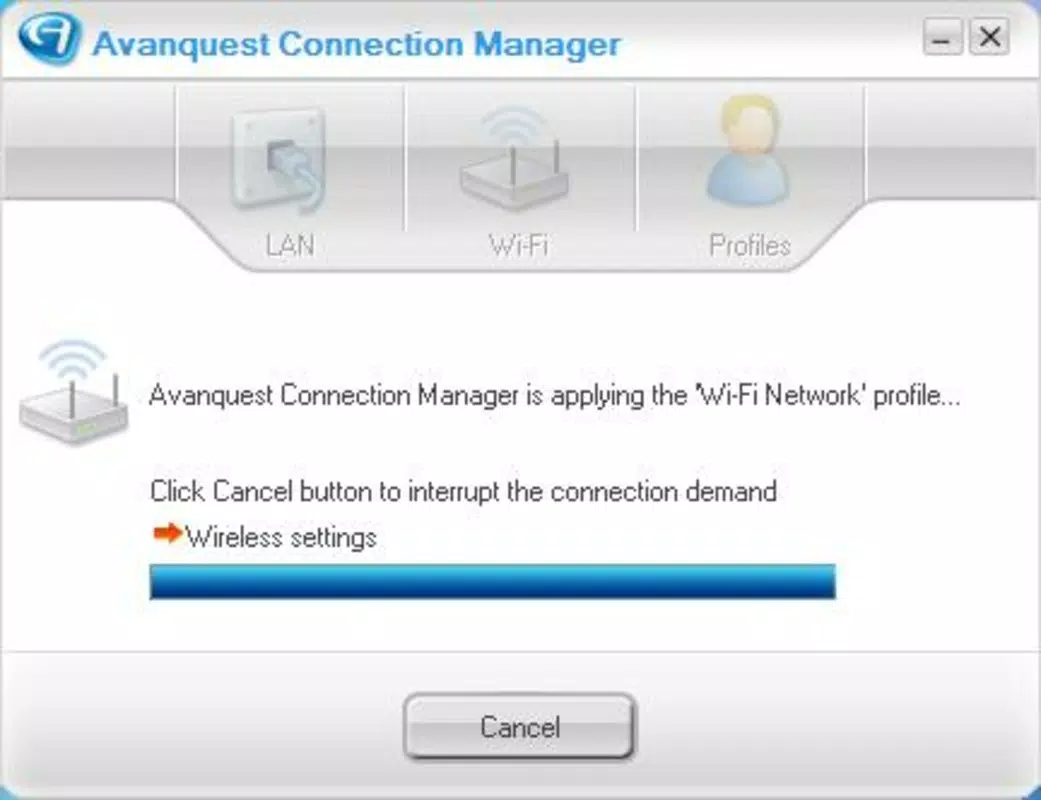
The software enables users to define and store specific network configurations, including Wi-Fi settings, default applications, and connected devices. When a user enters a new location, the program detects the available networks and applies the most appropriate profile automatically. This functionality supports seamless transitions between networks without requiring technical knowledge or manual intervention. The developer, Avanquest Software, has positioned the app as a productivity enhancer for individuals who prioritize efficiency and uninterrupted digital workflows.
Although the developer did not provide additional technical details about the app’s architecture or integration with other systems, its core purpose remains clear: to simplify network management on Windows-based laptops. In the broader context of utility software, Avanquest Connection Manager fills a niche for users seeking automated solutions to repetitive network setup tasks. Its release in 2008 reflects an early recognition of the growing need for smarter connectivity tools in a mobile-first computing era.
Key Features & Functionality
- Automated Profile Management: The app automatically detects the best available network profile based on the user’s current location. This eliminates the need to manually switch between saved configurations, ensuring continuous connectivity.
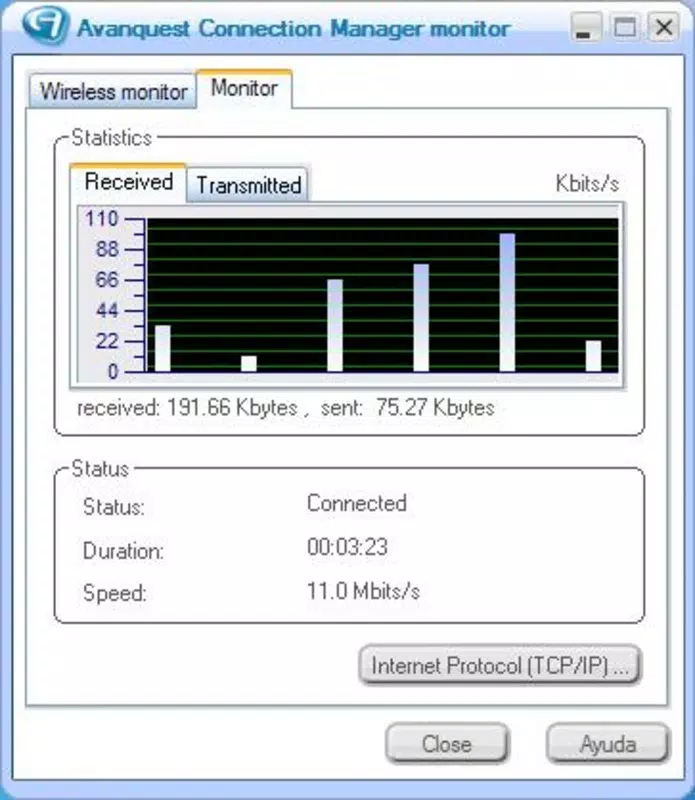
- Comprehensive Network Selection: Users can view all nearby access points and select the most suitable one based on signal strength and reliability, enhancing overall internet performance.
- Connection Settings Memorization: Critical settings such as default web browsers, email accounts, and connected peripherals are preserved across network transitions, reducing reconfiguration time.
- User-Friendly Interface: The interface is designed to be intuitive and accessible to users of all skill levels, allowing quick navigation between profiles without a steep learning curve.
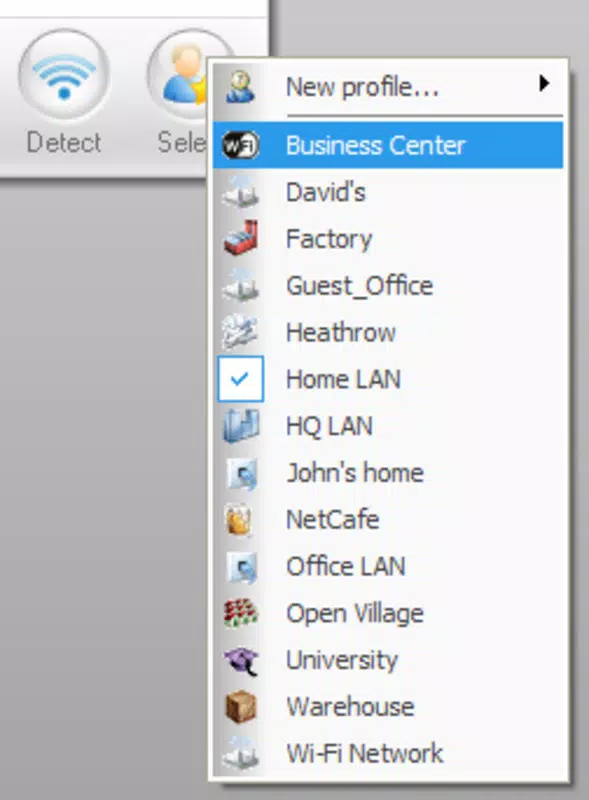
- Multi-Location Profile Setup: Users can create and manage multiple profiles tailored to different environments, such as home, office, or university, ensuring a personalized experience for each context.
For example, a student can set up a profile for their dorm room with specific Wi-Fi credentials and a default browser, then switch to an office profile with different settings when working remotely. Similarly, a business traveler can maintain a secure profile for corporate networks and a public profile for coffee shop connections. These use cases demonstrate how the app enhances productivity by minimizing downtime caused by network changes.
Interface, UX & Performance
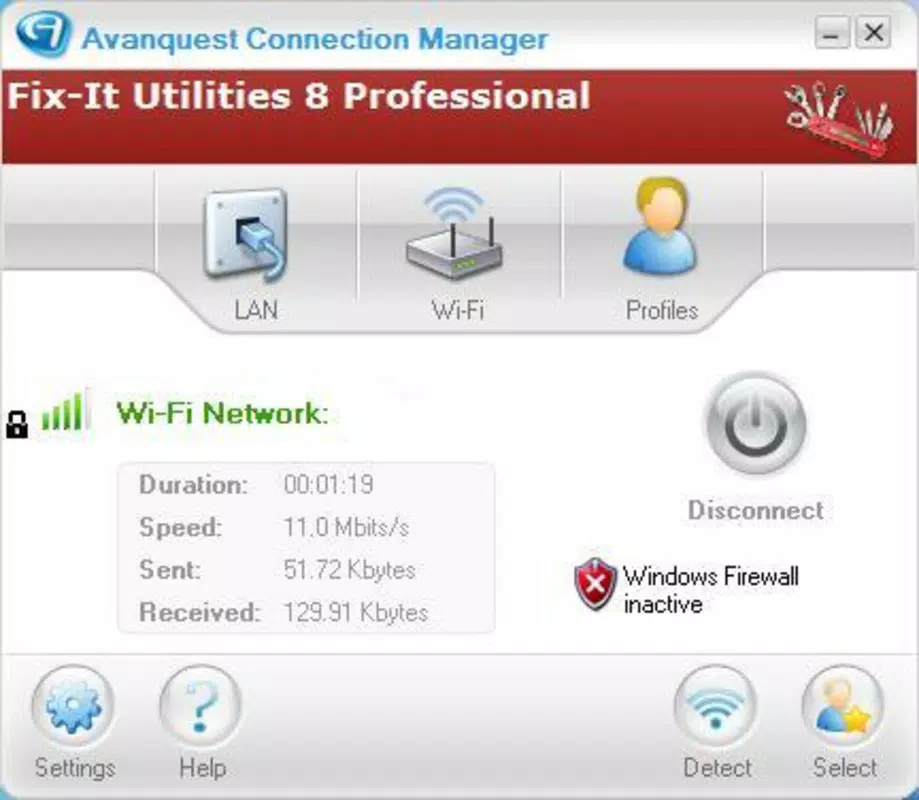
Avanquest Connection Manager features a clean and straightforward interface that prioritizes usability. The layout organizes connection profiles in a logical manner, allowing users to view, select, and manage their network configurations with minimal effort. Navigation is intuitive, with clearly labeled sections and accessible controls that support efficient workflow management.
Although the developer did not list formal performance metrics, the app’s lightweight design—measuring just 3.2 MB—suggests it operates efficiently without consuming significant system resources. This small footprint likely contributes to fast startup times and responsive behavior, even on older or lower-end Windows systems. The app’s stability is implied by its long-standing presence in the market since 2008, though no specific data on crashes or errors was provided.
Responsiveness across different device categories is not explicitly detailed. However, given its compatibility with Windows and modest size, it is expected to function reliably on a wide range of desktop and laptop hardware. The lack of reported performance issues over more than a decade indicates consistent reliability, though users should verify compatibility with their specific system configuration.
Platform Compatibility & Technical Requirements
Avanquest Connection Manager is designed exclusively for the Windows platform. The app is available in version 1.0.0.1 and has a file size of 3.2 MB. While the developer did not specify minimum OS requirements, the app’s release date of 2008 suggests it was originally built for Windows XP or later versions.
Given the age of the software, compatibility with modern Windows systems (such as Windows 10 or 11) may depend on system configuration and installed updates. The developer did not provide additional technical details about hardware requirements, driver dependencies, or supported Windows editions. Users are advised to test the app on their system to confirm functionality.
Although the app is not available on mobile platforms, its purpose aligns with the growing demand for network automation tools in a connected world. For Windows users seeking a lightweight solution to manage multiple network environments, this utility remains a viable option.
Pros and Cons
Pros
- Automatically selects the best network profile based on location
- Preserves connection settings across different environments
- Supports multiple user-defined profiles for various locations
- Simple, intuitive interface suitable for non-technical users
- Lightweight design with minimal system impact
Cons
- Not compatible with mobile operating systems (Android, iOS)
- Developer did not disclose minimum OS or hardware requirements
- App has not been updated since 2008, raising concerns about modern compatibility
- Limited to Windows platform only
- No official support for newer Windows versions or security protocols
FAQ
Is Avanquest Connection Manager safe to download and install?
The app is developed by Avanquest Software, a known software publisher. However, due to its age and lack of recent updates, users should exercise caution and ensure the source is trusted before installation.
Can I use Avanquest Connection Manager on Windows 10 or Windows 11?
Compatibility with Windows 10 or 11 is not officially confirmed. While some older Windows applications may run on newer systems, performance and stability cannot be guaranteed without testing.
Does the app support mobile devices like Android or iOS?
No. Avanquest Connection Manager is designed exclusively for Windows-based laptops and desktops. It is not available on Android or iOS platforms.
How do I update Avanquest Connection Manager?
As of now, there is no official update available. The latest version remains 1.0.0.1, released in 2008. Users should check the developer’s website for any potential updates or alternative solutions.
Is Avanquest Connection Manager free to use?
No. The app is a paid utility priced at $19.95. It is not available as a free download or trial version based on the provided information.
Final Thoughts
Avanquest Connection Manager remains a functional tool for users who need to manage multiple network profiles on Windows laptops. Its core features—automated profile switching, settings memorization, and multi-location support—address real-world challenges faced by mobile professionals and students. While the app’s age raises concerns about modern compatibility and security, its lightweight design and clear purpose continue to offer value to a niche audience.
For individuals who frequently switch between Wi-Fi networks and want to avoid manual reconfiguration, this utility delivers consistent results. However, users should be aware of its limitations, including the lack of updates and absence of mobile support. If you rely on seamless connectivity across different locations and are using a Windows system, Avanquest Connection Manager may still be a practical solution.
Download Avanquest Connection Manager now


